
VideoDownloaderPro
Dituo TechnologyVideo Players & Editors
3.710.00 Reviews
- Version
- 1.11
- Installs
- 100.00K
- Age Rating
- Everyone
Screenshots
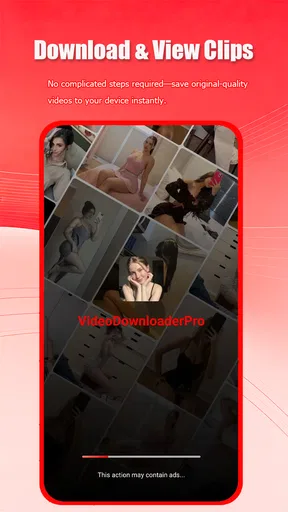
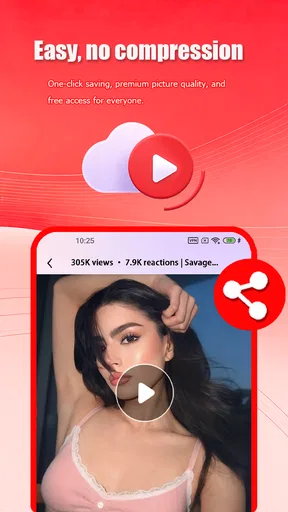
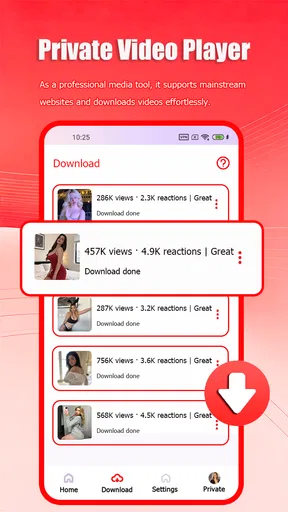
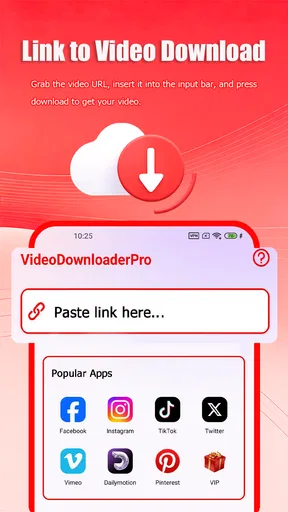
Our Review of VideoDownloaderPro
 Analysis by Appyee
When I test a video tool, I care less about a long feature list and more about one basic question: does it make the moment between finding a video and watching it easier? VideoDownloaderPro, from Dituo Technology, is built around that exact promise. It is a free Android app in the video players and editors category, combining video downloading with an Ultra HD playback focus. After using it, I see its main appeal clearly: it is most useful when I want to move a video from an online viewing moment into a more convenient local viewing routine.
The central capability is simple: download a video, then watch it inside the same app. That sounds ordinary, but the combination changes the workflow. Instead of treating downloading and playback as two separate jobs, the app puts both purposes next to each other. For someone who regularly saves clips for later, that can feel more practical than relying on a browser for one step and a separate media player for the next.
The app is free to install and is rated for Everyone, which makes it approachable for a broad audience. It requires Android 8.0 or newer, and its current version is 1.11. Its average rating is 3.7 from around fifty ratings, with ten written reviews, while the install count has passed one hundred thousand. Those figures suggest that it has found a modest audience, but they also tell me to keep expectations realistic: this is a focused utility rather than a universally established video platform.
Downloading and watching in one focused workflow
I find this workflow most useful when I can make the download decision before I need the video: a quick check of the source, intended use, and available phone storage helps prevent a rushed save from becoming clutter. I would also keep important clips grouped by purpose in my own routine, so opening the app leads to something I meant to watch. That preparation matters most when the network itself is unpredictable.
What the main function changes
The strongest idea here is not simply saving a file. It is reducing friction after the download. With a typical browser, I might locate a video, deal with a download prompt, search through the device’s storage, and then open the file with whichever player Android selects. A dedicated downloader and player can make that sequence feel more deliberate. I can think about the video as something I want to keep available, rather than as a temporary browser tab.
That matters most when my reason for downloading is practical. I may want to watch a tutorial while commuting, keep a reference clip available during a project, or prepare entertainment before entering an area with unreliable connectivity. In each case, the value comes from changing the timing of playback. I do the saving when I have a stable connection, then watch when the connection is less dependable.
The Ultra HD player positioning is also important, although it should not be read as a guarantee that every video will suddenly look better. Playback quality still depends on the source file, the display, and the phone’s ability to decode that file. The app can provide a place to play a high-resolution video, but it cannot add detail that was never present in the original download. That distinction is easy to overlook when an app emphasizes high-definition viewing.
How I would use it in practice
My preferred routine would be to download only the videos I genuinely expect to watch later. Once a file is saved, I would open it in the app and check that it plays properly before depending on it away from home. That small check is worthwhile because local playback is only useful if the complete file is available and compatible with the device.
I would also create a simple habit around naming and storage. A downloader can quickly become cluttered when every saved clip is treated as equally important. Keeping a short list of current videos makes the app more useful than filling it with forgotten files. For tutorials, I would save one video for each task and remove it after finishing. For travel or commuting, I would prepare a small viewing queue rather than downloading everything that looks interesting.
One non-obvious advantage of this approach is that it separates discovery from consumption. I can find something when I have time and connectivity, then watch it later without repeating the search. That is especially helpful for instructional material. A cooking demonstration, repair guide, or exercise routine is easier to follow when I am not also waiting for a stream to load or trying to keep a web page open.
A realistic everyday scenario
Imagine I am leaving home for a long train journey and want to keep a few useful videos ready. I would use the app before leaving, download the selected material, and play each file briefly while still connected. On the journey, I would open the saved videos directly instead of trying to stream them through an inconsistent mobile signal. If one clip turns out to be too large, incompatible, or simply not worth keeping, I can discover that before I need it.
That scenario shows both the benefit and the limitation. The app is helpful because it supports preparation. It is not a magic solution for every online video, and it does not remove the need to think about storage, source quality, or whether saving a particular video is permitted. I would use it for content I am allowed to download and keep, not as a way to bypass the rules of a service or creator.
Small workflow tips that make a difference
First, I would avoid judging a download only by its thumbnail or title. I would play the completed file once, preferably from beginning to end when the video is important. A file that appears in a list is not automatically a file I should trust for offline use.
Second, I would reserve the highest-quality versions for situations where the larger file is worthwhile. On a small phone screen, an extremely large source may offer little visible improvement while consuming more storage. For a detailed demonstration, presentation, or text-heavy tutorial, quality matters more than it does for casual viewing. The practical trade-off is not “best quality versus bad quality”; it is useful clarity versus unnecessary file size.
Third, I would treat the player as a verification tool, not merely the final destination. Watching a few seconds can reveal whether the audio and picture stay synchronized and whether the phone handles the file smoothly. That is a better preparation step than discovering a playback problem after leaving a reliable connection.
Where it sits beside ordinary alternatives
The usual alternatives each do one part of the job well. A browser is convenient for finding and streaming content, while the phone’s built-in gallery or media player may be enough for files already stored locally. A streaming service can offer a polished offline mode when the service supports it, but that experience remains tied to the service’s own app and rules. VideoDownloaderPro occupies a middle ground: it is aimed at people who want a dedicated place for downloaded video and playback.
That middle ground is useful when my videos come from different sources or when I prefer a separate viewing workflow. It is less compelling if I already use a streaming app with a reliable offline feature or if I rarely save videos. In those cases, another downloader adds an extra step rather than removing one.
The trade-offs I noticed
The first trade-off is simplicity versus control. A focused app can be easier to understand than a full editor with dozens of tools, but it may not satisfy someone who expects trimming, captions, effects, conversion, or detailed library management. The category label places it among video players and editors, yet its clearest identity is the downloader-player combination. I would not choose it as my main editing workspace.
The second trade-off concerns expectations around Ultra HD playback. High-resolution video can look excellent when the source and hardware support it, but it can also expose the limits of a phone. Large files take longer to download and occupy more storage, and some devices may handle them less comfortably than ordinary resolution. I would choose quality based on the viewing situation rather than selecting the biggest option automatically.
The third trade-off is the cost model. The app is free, but it includes in-app purchases ranging from $0.99 to $4.99 per item. That means I can try the basic experience without paying upfront, while some parts of the experience may involve optional purchases. I would check the purchase prompt carefully before confirming anything, especially if I am installing it for a child or sharing a device.
There is also a practical trust question with any downloader. I would pay attention to what I am downloading, where the files are being stored, and whether the source permits saving them. The app’s usefulness does not change copyright or platform restrictions. Responsible use is part of getting value from it, particularly when saving material created by someone else.
Who will benefit most
I think the best audience is someone who frequently watches short or medium-length videos and wants a prepared local collection without relying entirely on streaming. Students, commuters, travelers, and people following visual instructions can all understand the appeal. The app is also a reasonable option for Android users who want a dedicated downloader-player rather than a broad editing suite.
It may be especially useful for people who plan ahead. The strongest benefit appears before the offline moment: finding the right material, downloading it while connected, checking playback, and organizing the result. Users who take that approach are more likely to appreciate the app than people who expect it to solve every problem automatically.
I would skip it if my main goal is professional video editing, advanced file organization, or a premium streaming catalog with built-in offline access. I would also hesitate if I only watch occasional online clips, because the phone’s existing tools may already cover that habit. The app makes more sense when downloading is a repeated need, not a rare experiment.
What the app’s current position tells me
Dituo Technology has kept the product focused enough to make its purpose easy to understand. The store short description, “VideoDownloaderPro,” is extremely brief, while the broader summary presents it as a fast downloader and Ultra HD player. In actual use, that narrow identity is both its strength and its boundary. I know why I would open it, but I should not expect the breadth of a full media-management platform.
The rating of 3.7 is a moderate signal rather than a decisive endorsement. Combined with its audience of over one hundred thousand installs, it shows interest without proving that it will suit every Android setup. I would approach it as a practical tool to test against my own workflow, particularly because download behavior, playback smoothness, and storage needs can vary between phones and video sources.
Its Everyone age rating makes it easy to consider for general household use, but that does not mean every downloaded video is appropriate for every viewer. The rating describes the app’s audience classification, not the material a person may choose to save through it. I would still supervise younger users’ downloads and explain that online content remains subject to the rules of its original source.
My final recommendation
VideoDownloaderPro is most convincing as a preparation tool for offline video viewing. I like the idea of finding a video once, saving it deliberately, checking that it plays, and returning to it without depending on a live connection. That workflow is more valuable than the basic phrase “video downloader” suggests, especially for tutorials, travel, commuting, and reference material.
At the same time, I would keep its role narrow. It is not the right replacement for a serious editor, a complete streaming subscription, or a sophisticated media library. The high-definition focus should be balanced against file size and device capability, and the free installation should be considered alongside the available in-app purchases.
For an Android user on version 8.0 or newer who regularly saves videos and wants playback in the same place, I think it is worth trying. I would start with a few permitted downloads, test them on the phone I actually use, and decide whether the combined workflow saves me time. If it does, the app earns a place in my routine; if I mostly stream or edit, the usual alternatives will probably remain the better fit.
Verdict
Strengths of VideoDownloaderPro
- Downloads videos for offline viewing without needing a constant connection.
- Simple interface makes saving supported videos quick and straightforward.
- Built-in file management helps organize downloaded clips in one place.
- Useful for watching content when traveling or dealing with limited data.
- Supports sharing saved videos through compatible apps on your device.
Limitations of VideoDownloaderPro
- May not support downloads from every website or video platform.
- Download speed can vary depending on the source and network connection.
- Some features may require in-app purchases or contain advertising.
- Downloaded files can consume significant storage, especially at high quality.
- Saving copyrighted content may violate platform rules or local laws.
Other Releases by Dituo Technology
View All
VideoDownloader
Video Players & Editors2.8
Similar Picks in This Category
View All
Google TV
Google LLC3.9

iTunes
Apple4.7

YouTube
Google LLC3.8

MX Player
Amazon Mobile LLC4.2

CapCut - Video Editor
Bytedance Pte. Ltd.3.5

PLAYit-All in One Video Player
PLAYIT TECHNOLOGY PTE. LTD.4.5
Frequently Asked Questions
What is VideoDownloaderPro and what can I use it for?
VideoDownloaderPro is designed to help users save online videos for later viewing on a compatible Android or iOS device. Depending on the version and supported services, it may offer a built-in browser, download controls, file management, and offline playback. Before downloading, check which websites and video formats are officially supported, since availability can change due to platform policies.
Is VideoDownloaderPro free to download and use?
The application may be available as a free download, but some features can be limited by advertisements, usage restrictions, or optional in-app purchases. Premium plans may remove advertising, increase download limits, or unlock additional format and quality options. Review the store listing and subscription details carefully before confirming payment, especially if the app offers an automatically renewing plan.
Can VideoDownloaderPro download videos from every website?
No video downloader can reliably support every website. VideoDownloaderPro may work with certain public pages and services, but protected, private, live, subscription-based, or copyright-restricted content may not be downloadable. Some platforms also block third-party downloads or change their technical systems regularly. Always verify that you have permission to save and use the video before starting a download.
Where are downloaded videos stored, and can I watch them offline?
Downloaded files are generally kept inside the app’s library or in a device folder selected through the application’s settings. Once a download has completed successfully, videos may be available without an internet connection, depending on the file type and player support. Storage space is important, particularly for high-resolution content, so check the destination and available capacity first.
Is VideoDownloaderPro safe and legal to use?
Safety depends on obtaining VideoDownloaderPro from a legitimate Google Play Store or Apple App Store listing and reviewing its requested permissions, privacy policy, and developer information. Legality depends on the source and intended use of each video. Downloading content without authorization may violate copyright or a platform’s terms, so use the app only for material you are allowed to save.
